
GenPPTGenPPT

Best Beautiful.ai Alternatives (2026)

Beautiful.ai keeps slides on-brand with smart templates, but many teams want full-deck AI generation, document uploads, or native PowerPoint workflows. Compare seven real alternatives.

Ilias Ism

by Ilias Ism

13 min read

Best Beautiful.ai Alternatives (2026)

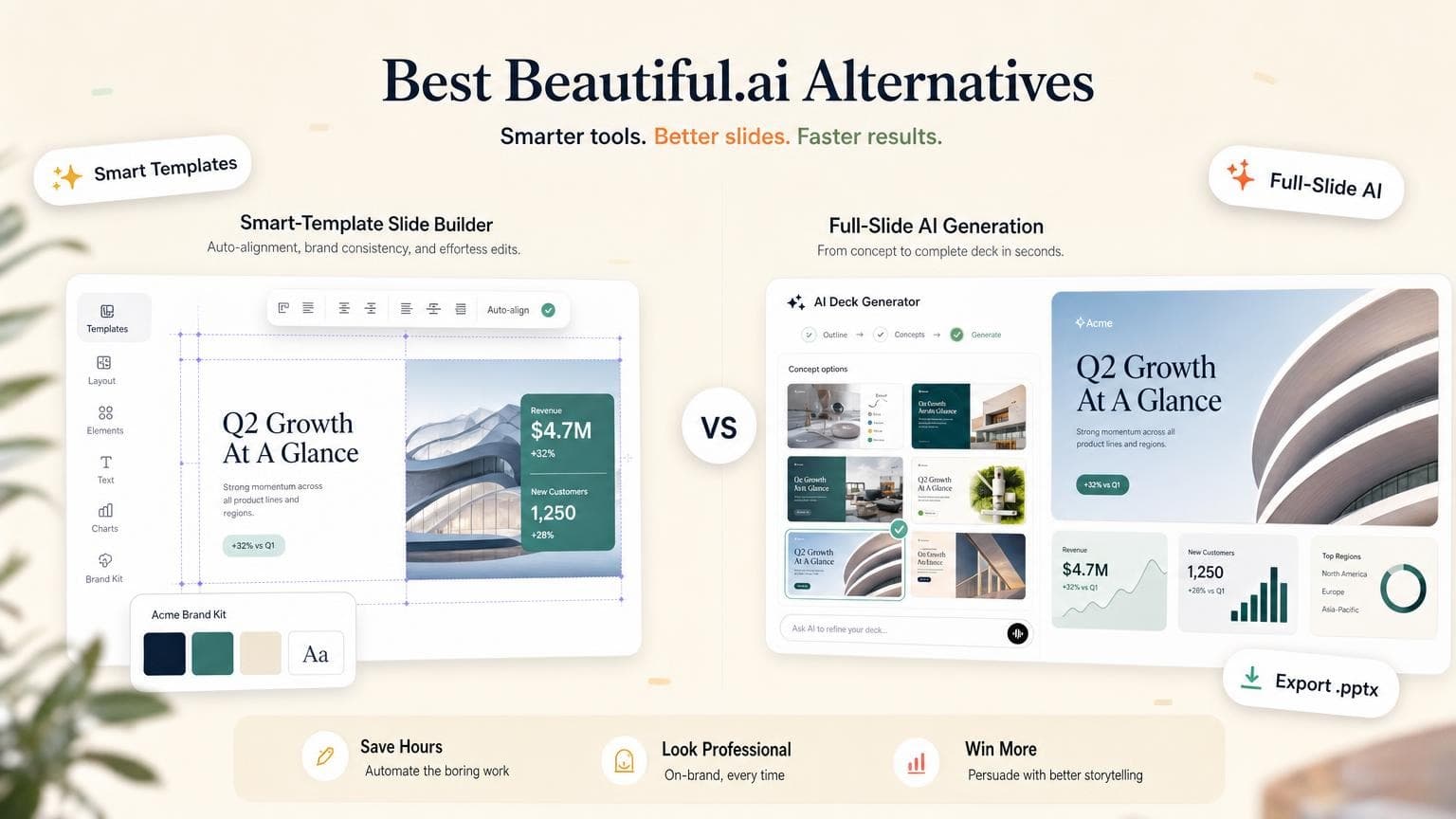
Pick your Beautiful.ai alternative based on how you build decks. GenPPT gives you full-slide AI visuals from a brief or document, with outline approval before render and .pptx export. Gamma handles fast web-native drafts. Canva covers template flexibility and mixed marketing assets. Pitch supports live team editing. PowerPoint + Copilot and Plus AI keep you inside Microsoft or Google Slides.

Beautiful.ai fits when you want smart layout rules while building slide-by-slide. This guide compares seven tools marketing and sales teams pick when that workflow stops working. We checked official pricing pages in August 2026.

For a direct GenPPT vs Beautiful.ai breakdown, see our Beautiful.ai alternative page.

Key Takeaways
  • Beautiful.ai excels at smart templates and brand kits; you still assemble the deck manually with design assist, not full prompt-to-deck generation
  • GenPPT is strongest when you want outline approval, a visual concept pick, and image-native slides with .pptx export from a prompt or document
  • Gamma is fastest for browser-first decks; PowerPoint export can shift layouts on complex slides
  • Pitch and Canva win on real-time team editing; GenPPT refines slides through chat, not canvas text boxes
  • PowerPoint + Copilot and Plus AI skip the export step if your deck must live natively in Office or Google Slides
  • Budget 15–30 minutes per deck for AI generation plus fact-checking, not sub-minute turnaround
Create a presentation with AI

Quick comparison: Beautiful.ai alternatives at a glance

ToolBest forStarting price (USD)Free option.pptx exportReal-time collab
GenPPTImage-native AI decks + export$19/mo or $99/yrFirst deck freeYesNo
Beautiful.aiOn-brand smart slides~$12/mo (annual)14-day trialYesTeam plan
GammaFast AI drafts in browserFree; Plus from ~$9/mo400 signup creditsYes (layout can shift)Yes
CanvaTemplates + design controlFree; Pro ~$15/moYesYesYes
PitchTeam slide editingFree; Plus from ~$15/moYesYesYes
PowerPoint + CopilotCorporate M365 standard~$30/user/mo add-onWith M365NativeVia OneDrive
Plus AIAI inside PowerPoint/Slides~$10/mo7-day trialNative in-appVia Google/MS
Beautiful.aiSmart layout while you build~$12/mo (annual)14-day trialYesTeam plan

For a broader AI PowerPoint roundup, see Best AI PowerPoint Generators in 2026.

How we evaluated these Beautiful.ai alternatives

We skipped star ratings and sponsored benchmarks. We checked each tool against the questions Beautiful.ai users ask when they switch:

  1. Input flexibility: Can you start from a prompt, document, or link, or do you build slide-by-slide?
  2. Generation depth: Does AI produce a full deck concept, or mainly assist layout and copy as you edit?
  3. Export path: Does .pptx open cleanly in PowerPoint, and can you edit what matters?
  4. Editing model: Canvas text boxes, smart templates, card editor, or AI regeneration?
  5. Collaboration: Real-time multi-user editing, or async share/review?
  6. Pricing transparency: What the free tier includes, and what export or AI costs extra

Prices below reflect official pricing pages and help docs we checked in August 2026. Promotional rates and regional taxes can change totals.

When Beautiful.ai still makes sense

Beautiful.ai fits when your job is on-brand slide design and you want auto-formatting rules more than a single-shot prompt-to-deck pipeline.

Where Beautiful.ai is strong:

  • Smart Slides that reflow as you add bullets, images, and charts
  • Brand kits for colors, fonts, and logos on Team plans
  • DesignerBot for draft copy and layout suggestions inside the editor
  • .pptx export for teams that deliver PowerPoint files
  • Version history and analytics on higher tiers

Limits:

  • You build manually. Beautiful.ai assists design as you go. It won't generate a full visual concept from a PDF or brief in one pass the way GenPPT does.
  • No permanent free tier. A 14-day trial requires a card; AI features sit behind paid plans.
  • Document upload is limited. Most workflows start inside the editor, not from a long report upload.
  • Monthly billing is expensive. Annual Pro is ~$12/month; month-to-month Pro is often much higher on Beautiful.ai pricing.
  • Research depth varies. DesignerBot summarizes and suggests; it's a layout assistant, not a research-first deck pipeline.

Keep Beautiful.ai if formatting slides by hand is your bottleneck. Compare the alternatives below if you need to turn a brief or PDF into a designed deck fast. Start with our Beautiful.ai alternative comparison.

The best Beautiful.ai alternatives in 2026

1. GenPPT: best for image-native AI decks + export

Best for: Teams that want designed slides from a brief or document, with outline approval before full render and .pptx export.

Tradeoffs: Slides are full-slide images, not a library of draggable text boxes. You refine copy and layout by regenerating slides in chat, then export. There is no real-time multi-user canvas editor.

Pricing (August 2026):

  • Free: First deck free, no credit card (create a deck →)
  • Growth: $19/month or $99/year after a $1 trial; 20 full-slide image decks per month, watermark-free .pptx and PDF export (details →)

GenPPT targets teams that want control before pixels render:

  1. Add source material: prompt, PDF, Word doc, or link
  2. Approve the outline: edit titles and bullets before design starts
  3. Pick a visual concept: choose a direction from a contact sheet
  4. Generate and refine: regenerate individual slides in chat, then export
Start from a prompt, document, or link before the outline is generated.
Lock the narrative before slide visuals are rendered.
Export to PowerPoint or PDF when the deck is ready.

Good fit: Pitch decks, board updates, marketing narratives, and document-to-deck workflows where you already have a PDF or brief.

Not ideal if: You need live co-editing on the same slide canvas, smart template rules while building manually, or native editable chart objects inside the AI builder.

For step-by-step workflow detail, read How to Use AI to Create a PowerPoint Presentation. Compare GenPPT vs Gamma in our Gamma alternative guide.

Create your first deck free →


2. Beautiful.ai: best for smart template decks

Best for: Teams that prefer building slide-by-slide with auto-formatting rules and brand kits.

Tradeoffs: You assemble the deck slide by slide; AI assists content and layout rather than generating a full visual concept from a single brief. No permanent free tier; trial requires a card.

Pricing (August 2026): Beautiful.ai lists Pro at $12/month billed annually (~$144/year). Team plans start around $40/user/month billed annually (monthly billing is higher). A one-off single presentation option is listed at $45.

Good fit: Brand-conscious marketing and sales teams who want Smart Slides, version control, and reliable .pptx export without designing from scratch.

Not ideal if: You want prompt-to-deck generation with concept approval before render.

Staying on Beautiful.ai makes sense. Comparing against GenPPT? Read our dedicated Beautiful.ai alternative page.


3. Gamma: best for fast web-native drafts

Best for: Quick AI-generated decks meant to be read and shared in the browser.

Tradeoffs: Gamma's native format is card-based and web-first. .pptx export exists, but complex layouts can shift when opened in PowerPoint. Credits limit how many AI generations you get per month.

Pricing (August 2026): Gamma pricing includes 400 one-time credits on the free plan. Plus is about $9/seat/month (annual billing) with monthly credit refresh. Pro is about $18/seat/month billed annually.

Good fit: One-pagers, internal read-aheads, and fast first drafts you will refine in the browser.

Not ideal if: Your final deliverable must be a polished .pptx for client meetings with minimal export cleanup.

Read our Gamma alternative guide for export and workflow differences vs GenPPT.


4. Canva: best for template flexibility

Best for: Creators who want a huge template library, drag-and-drop editing, and Magic Design AI inside a general design tool.

Tradeoffs: Presentation structure is less guided than Beautiful.ai's smart layout rules. AI output quality varies by prompt, and heavy decks need manual cleanup.

Pricing (August 2026): Canva's pricing page lists a robust free plan. Canva Pro is about $15/month or ~$120–144/year depending on billing region and promotions. Business is per-seat pricing for teams.

Good fit: Social-ready visuals, mixed marketing assets, and teams already standardized on Canva.

Not ideal if: You need strict brand layout automation or investor-style deck analytics.


5. Pitch: best for team collaboration

Best for: Teams that co-edit slides in real time, share presentation links, and track engagement.

Tradeoffs: AI helps with drafts and rewrites, but Pitch is still a traditional slide editor at heart. You build and polish inside Pitch rather than approving a full visual concept sheet first.

Pricing (August 2026): Pitch pricing includes a free workspace (up to 5 members). Plus is about $15/month (lower on annual billing) for solo use. Team is about $23/seat/month (annual discounts available). AI actions consume credits on each plan.

Good fit: Product, marketing, and sales teams presenting live together with comments, assignments, and analytics.

Not ideal if: Your priority is uploading a PDF and getting image-native slides in one automated pass.


6. PowerPoint + Copilot: best for Microsoft 365 teams

Best for: Organizations standardized on Microsoft 365 that want AI generation inside PowerPoint without adopting another deck platform.

Tradeoffs: Output quality depends on your template and Copilot prompt. Visual wow-factor is lower than image-native AI builders. Requires both M365 licensing and a Copilot add-on.

Pricing (August 2026): Microsoft 365 Business plans start around $12–22/user/month. The Copilot for Microsoft 365 add-on lists at about $30/user/month with annual billing. Confirm current bundles on Microsoft's pricing page.

Good fit: Enterprise teams with SharePoint/Teams context, compliance requirements, and native .pptx workflows.

Not ideal if: You want concept approval, contact-sheet visual direction, or full-slide AI rendering outside PowerPoint.

For more native add-in options, see Best AI PowerPoint Generators.


7. Plus AI: best for PowerPoint and Google Slides users

Best for: Teams that must stay inside Microsoft PowerPoint or Google Slides and want AI generation as an add-in.

Tradeoffs: You inherit the limits of your host app. Visual wow-factor depends on your template, not full-slide AI rendering.

Pricing (August 2026): Plus AI lists plans from about $10/month with a 7-day trial (credit card required). Exact tiers and seat pricing vary by workspace size.

Good fit: Enterprises standardized on Office 365 or Google Workspace that cannot adopt another standalone deck platform.

Not ideal if: You want concept approval and image-native slides outside PowerPoint entirely.


Feature comparison table

FeatureBeautiful.aiGenPPTGammaCanvaPitchCopilotPlus AI
Full deck from prompt/docPartial (DesignerBot)YesYesPartialPartialYesYes
Outline approval before designManualYesLimitedLimitedManualLimitedLimited
Smart layout rulesStrongN/ACard-basedDrag-and-dropCanvas editorTemplate-basedTemplate-based
Full-slide AI visualsNoYesCard-basedPartialNoNoNo
Document upload inputLimitedPDF, Word, linkYesYesVariesWord, PDFYes
Edit modelSmart templatesChat regenerateCard editorDrag-and-dropCanvas editorIn PowerPointIn PowerPoint/Slides
Real-time collaborationTeam planNoYesYesYesVia OneDriveVia Google/MS
.pptx exportYesYesYes (may shift)YesYesNativeNative

Export a test deck in your PowerPoint version before a live pitch.

How to choose the right Beautiful.ai alternative

Choose Beautiful.ai if you want smart layout rules while building manually and your team cares about brand consistency inside a dedicated presentation editor.

Choose GenPPT if your priority is a designed deck from a prompt or document, with outline and concept approval, .pptx export, and slide-level AI refinement. Start at /app/new, review /pricing, or read our Beautiful.ai alternative comparison.

Choose Gamma if speed in the browser matters more than PowerPoint fidelity.

Choose Canva if you already design everything in Canva and need presentations alongside social graphics.

Choose Pitch if multiple teammates must edit the same deck simultaneously with comments and sharing analytics.

Choose PowerPoint + Copilot if policy requires Microsoft 365 and you want AI inside the app you already use.

Choose Plus AI if you must stay inside PowerPoint or Google Slides but want a dedicated AI add-in.

Our AI PowerPoint generator comparison walks through export quality and workflow tradeoffs in more depth. For zoomable-canvas tools in the same conversation, see Best Prezi Alternatives. For Excel-linked consulting charts vs AI narrative decks, see Think-Cell alternatives.

Frequently asked questions

What is the best Beautiful.ai alternative in 2026?

GenPPT leads on image-native slides, outline approval, and .pptx export from a prompt or document. Gamma wins on fast browser drafts. Pitch wins on live team editing. Plus AI and Copilot win when you must stay inside PowerPoint or Google Slides. Beautiful.ai fits smart template control if you build manually.

Is GenPPT a good Beautiful.ai alternative?

Yes, if you want the deck generated from a brief rather than designing slide by slide in Beautiful.ai. GenPPT produces full-slide visuals upfront, lets you approve the outline and pick a concept before render, and exports .pptx. See our Beautiful.ai alternative page for a side-by-side comparison.

Does Beautiful.ai export to PowerPoint?

Yes. Beautiful.ai supports .pptx export on paid plans. Layout and brand elements transfer well because structured smart templates build each slide, not full-slide images.

Can I edit GenPPT slides after generating?

Yes. Regenerate a slide in chat, then export to PowerPoint or PDF. Slides are image-based inside the .pptx, so you refine in GenPPT rather than editing text boxes directly in PowerPoint.

How does Gamma compare to Beautiful.ai?

Beautiful.ai focuses on smart templates while you build manually. Gamma generates card-based decks from a prompt in the browser. Gamma wins on first-draft speed; Beautiful.ai gives brand teams more layout control. PowerPoint export from Gamma can shift more than Beautiful.ai on complex slides.

Which alternative has the best free plan?

Canva and Gamma offer generous free tiers for trying AI-assisted design. GenPPT offers a first deck free with no credit card. Pitch has a free workspace for small teams. Beautiful.ai offers a 14-day trial but no permanent free tier with AI.

Do I need PowerPoint + Copilot or Plus AI?

Choose Copilot if your company already pays for Microsoft 365 and wants AI embedded in PowerPoint with SharePoint context. Choose Plus AI if you split time between PowerPoint and Google Slides and want a dedicated add-in. Choose GenPPT if you want full-slide AI visuals and a separate export step is acceptable.

Conclusion: match the tool to your workflow

Beautiful.ai made smart slide design mainstream. Teams switch when they need full-deck generation from documents, a different editing model, or AI inside PowerPoint and Google Slides. Match the tool to where your deck lives after generation: browser, PowerPoint, or team workspace.

If image-native AI slides, outline control, and .pptx export fit your workflow, start with GenPPT:

Create your first deck free →

For a focused GenPPT vs Beautiful.ai breakdown, visit /beautiful-ai-alternative. For pricing and plan limits, see /pricing. For the full AI PowerPoint workflow, read How to Use AI to Create a PowerPoint Presentation.

Ilias Ism
Ilias Ism

SEO strategist and former CTO who builds scalable content systems. Founded LinkDR, MagicSpace SEO, AISEOTracker, and GenPPT.

  • Built and sold Officient ($500k+ MRR)
  • Scaled 20+ products generating $10M+ revenue
  • 4x B2B SaaS founder
AI presentations

Stop stressing over formatting. Join 100,000+ professionals creating presentations worth presenting.