

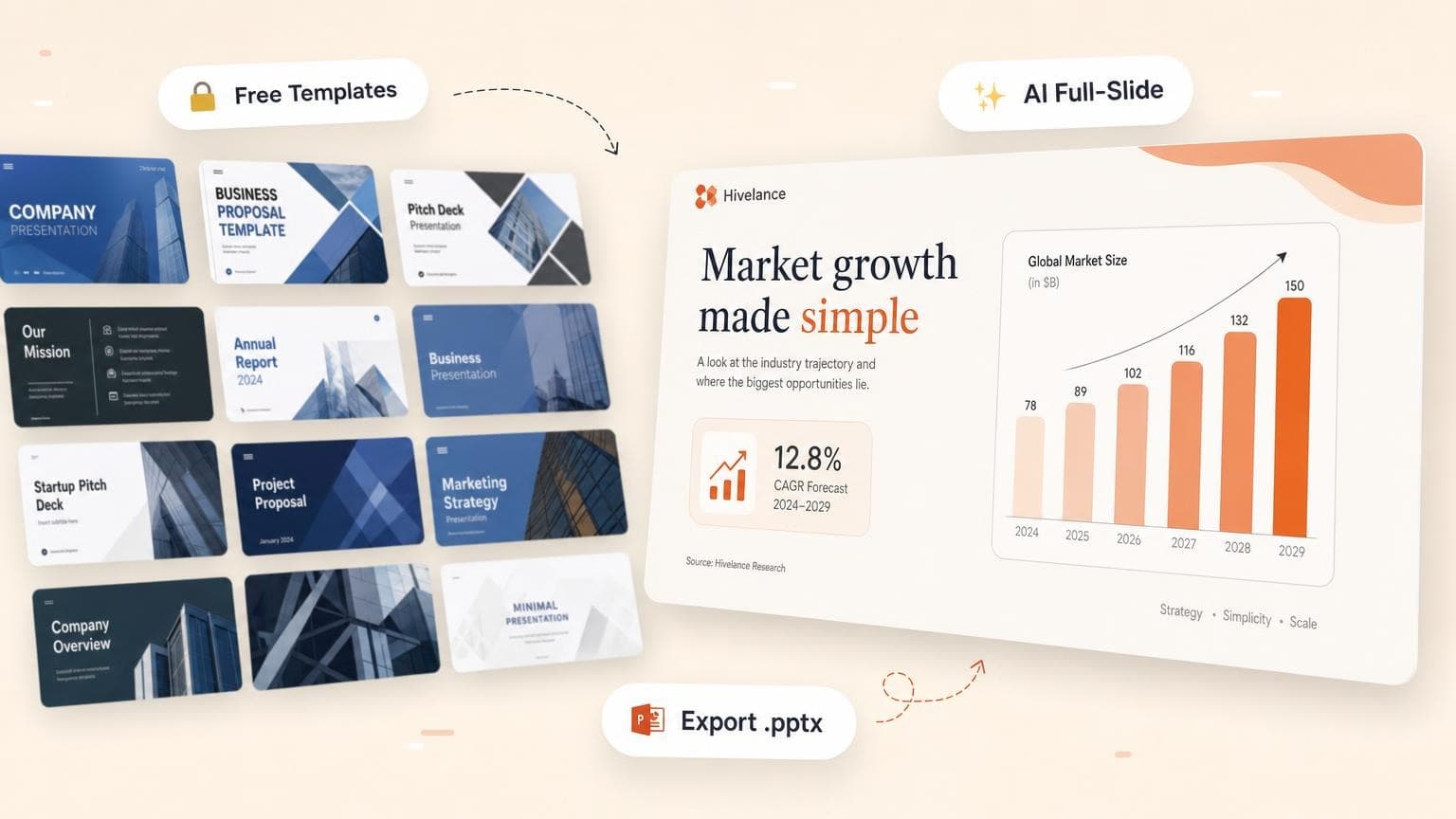
You can find thousands of PowerPoint templates in 2026: Microsoft Create, Slidesgo, Canva, Envato, and more. The hard part is picking one that fits your story, swapping placeholder copy, fixing broken layouts, and avoiding the same free pack everyone else downloaded.
Best free professional templates work for one-off school decks or internal updates. Client-facing pitches, quarterly reviews, and recurring board decks need a premium template subscription or a different workflow: AI full-slide generation that builds designed slides from your brief instead of a static .pptx shell.
Compare the best PowerPoint template sources, free and paid, and when template hunting stops paying off. For editing after you download, see how to edit a PowerPoint template. For skipping templates altogether, see how to create a PowerPoint with AI.
- Microsoft Create and Slidesgo are the strongest free starting points; Canva adds design flexibility with
weaker PowerPoint export - Premium libraries (Envato Elements, SlideModel) pay off when you present weekly and need
niche layouts - Templates fail when your content does not match placeholder layouts. You fight text boxes when you
should refine the story - AI full-slide generators like GenPPT trade manual layout work for outline approval and
custom visuals per slide - Open exported
.pptxfiles in PowerPoint before presenting; free templates break on widescreen or custom fonts
Best PowerPoint templates at a glance
We checked prices against official pages in August 2026. Regional pricing and annual discounts vary.
What makes a PowerPoint template worth using?
A PowerPoint template is a pre-built .pptx with slide masters, color palettes, fonts, and placeholder layouts. Strong templates align title slides, section dividers, chart layouts, and image placeholders from the start.
Professional templates beat clip-art packs on:
- Slide master system: change fonts and colors once, update every slide
- 20+ unique layouts: not five variations of the same title slide
- 16:9 widescreen: readable on projectors and Zoom
- Editable vectors: resize icons and diagrams without pixelation
- Data-ready slides: chart placeholders, comparison tables, timelines
If you only need two or three slides for a quick update, a free template is enough. If the deck is investor-facing or repeats every quarter, invest in premium layouts or skip templates and generate slides from your content.
Best free PowerPoint template sources
1. Microsoft Create and built-in PowerPoint themes
Best for: Teams already on Microsoft 365 who want zero download friction
PowerPoint ships with built-in themes under Design → Themes, and Microsoft Create offers free presentation templates you open in PowerPoint or the web app. Clean corporate layouts, education slides, and seasonal designs work for internal decks.
Pros: Native .pptx, no attribution line, works offline once downloaded
Cons: Smaller library than Slidesgo or Canva; many designs feel familiar; Copilot AI requires a paid M365 plan
Tip: After downloading, customize through Slide Master so your logo and brand colors propagate. Our PowerPoint template editing guide walks through master slides step by step.
2. Slidesgo
Best for: Free professional templates with modern layouts (education, startup, marketing)
Slidesgo ranks among the most searched free PowerPoint template sites. Hundreds of decks cover pitch decks, lesson plans, medical slides, and social-media-style layouts. Free downloads require attribution on the final slide; Premium removes it and unlocks more files.
Pros: Large free library, Google Slides + PowerPoint formats, frequent new releases
Cons: Popular templates get overused; some slides are image-heavy with limited text space; Premium needed for unlimited downloads
Tip: Download the PowerPoint version (not Google Slides) if your final deliverable must stay in .pptx. Check slide count before committing. Some free packs cap at 10–15 layouts.
3. Canva
Best for: Marketing visuals, social-first decks, and non-designers who want drag-and-drop freedom
Canva's presentation templates sit inside a broader design tool: stock photos, icons, and brand kits on the same canvas. The free tier is generous; Pro unlocks premium templates and Brand Kit.
Pros: Huge library, easy collaboration, Magic Studio AI for first drafts
Cons: Export to PowerPoint can shift spacing and fonts; less ideal for data-dense QBRs
Best use: Event promos, creative pitches, decks that live in Canva or PDF
For AI-native tools that also export PowerPoint, compare options in Best AI PowerPoint Generators (2026).
Best paid PowerPoint template sources
Envato Elements
Best for: Volume and variety. One subscription, unlimited downloads
Envato Elements bundles presentation templates with fonts, stock photos, and graphics. You will find niche industry decks (real estate, healthcare, SaaS) that free sites skip.
Starting price: ~$16.50/mo (August 2026)
Tradeoff: Quality varies by author; you customize every placeholder by hand
SlideModel
Best for: Business diagrams, Gantt charts, SWOT matrices, and consulting-style layouts
SlideModel focuses on business and strategy slides rather than flashy marketing decks. If your deck is 60% charts and frameworks, this library saves layout time.
Starting price: ~$24.90/mo
Tradeoff: Subscription-only; fewer "creative" templates than Canva or Envato
Beautiful.ai
Best for: Teams that want smart templates that auto-format as you type
Smart Slides resize text, realign objects, and keep spacing consistent when you edit content. You work inside Beautiful.ai's editor and export to .pptx when you finish.
Starting price: $14.50/mo annual or $45 monthly, with a 14-day card-required trial
Tradeoff: You work inside their editor; PowerPoint export works, though native editing differs
PowerPoint template comparison table
When PowerPoint templates fail
You hit walls when your content does not match the placeholder structure. Common failure modes:
- Wrong slide count: the template has 12 layouts; you need 24. You duplicate slides and spacing drifts.
- Text overflow: headlines are too long; body text gets shrunk to 8pt.
- Mismatched narrative: the layout follows Problem → Solution → Team; your story is Timeline → Metrics → Ask.
- Overused designs: free Slidesgo and Canva templates show up in other people's decks.
- Export surprises: fonts missing on another machine, charts pasted as flat images, animations that break in Google Slides.
You reshape your message to fit the box when you pick a template. Standardized formats (lesson plans, simple pitch outlines) fit fine. Board reviews with your metrics, product launches with your positioning, research summaries from a PDF: you fight the layout on each one.
Template hunting reuses existing designs. AI slide generation builds story-first layouts around your content.
When AI full-slide generation beats templates
AI presentation tools (covered in Best AI PowerPoint Generators) skip the download-and-customize loop. You provide a prompt, document, or link; the tool drafts structure and renders designed slides.
Choose AI generation over templates when:
- You have source material (PDF, Word doc, report) and need slides that reflect it accurately
- The deadline is same-day and browsing templates would eat the budget
- Visual cohesion matters more than editable text boxes on every element
- You want to approve the outline before anything gets designed
- The deck is client- or investor-facing and should not look like a stock template
Stick with templates when:
- Your organization mandates a fixed Slide Master and
.pptxwith draggable placeholders - You reuse the same deck format every quarter (QBR shell, weekly standup)
- You are offline or cannot use cloud tools
- You need pixel-level control in native PowerPoint for every shape
GenPPT: alternative to template hunting
GenPPT skips template galleries and the static .pptx download:
- Add source material: prompt, PDF, Word doc, or link
- Approve the slide outline: edit titles and bullets before design starts
- Pick a visual concept: choose from a contact sheet of directions
- Generate full-slide visuals: layout, typography, charts, and imagery baked into each slide
- Export PowerPoint or PDF: open in PowerPoint before you present
GenPPT renders each slide as a designed image, so you trade placeholder editing for speed and visual polish. Regenerate individual slides in chat if copy or layout misses.
Browse GenPPT examples to see finished decks across pitch, marketing, and report use cases. For the full workflow, read how to create a PowerPoint with AI.
How to pick the right approach
Frequently asked questions
What are the best free professional PowerPoint templates?
Microsoft Create, Slidesgo, and Canva offer the largest free libraries in 2026. Microsoft and Slidesgo export clean .pptx files. Canva is best when you stay in Canva or export PDF; PowerPoint export can shift layouts. For attribution-free Slidesgo downloads, Premium (~$6/mo) removes the credit slide.
Are free PowerPoint templates safe to use?
Stick to reputable sites (Microsoft, Slidesgo, Canva, SlidesCarnival). Avoid random .pptx downloads from unknown forums; files can carry macros. Preview in PowerPoint, enable protected view, and scan if your IT policy requires it.
Can I use a Google Slides template in PowerPoint?
Yes, but expect cleanup. Download as .pptx from Google Slides or use a dual-format provider like Slidesgo. Fonts, spacing, and animations need adjustment. For fewer surprises, start with a PowerPoint-native template.
When should I pay for PowerPoint templates?
Pay when the deck is client-facing, recurring, or needs niche layouts (financial models, clinical timelines, legal frameworks). One subscription month on Envato or SlideModel costs less than an hour of manual formatting at consulting rates.
Do AI tools replace PowerPoint templates?
They skip the hunt-and-customize step. PowerPoint stays your export format. Tools like GenPPT generate designed slides from your content and export .pptx. You review facts, tone, and exports before presenting. Templates win when you need a fixed corporate master with editable placeholders.
How do I customize a downloaded template?
Open the file, go to View → Slide Master, and change colors, fonts, and logo placement at the master level. Our step-by-step guide: how to edit a PowerPoint template.
What is the fastest way to get a polished deck today?
If you have a brief or PDF, AI generation beats browsing templates. Create a deck in GenPPT: approve the outline, pick a concept, export PowerPoint, in the time it takes to evaluate three template previews.
Skip the template scroll
Free templates fix blank-slide anxiety. Story fit, unique visuals, and deadline pressure need something else. When placeholder wrestling eats your prep time, generate slides from your content instead.