
GenPPTGenPPT

Best SlideSpeak Alternatives (2026)

SlideSpeak is strong for document chat and AI slide drafts, but credit limits and standard layouts push many teams elsewhere. Compare five real alternatives by workflow and export quality.

Ilias Ism

by Ilias Ism

12 min read

Best SlideSpeak Alternatives (2026)

Pick your SlideSpeak alternative based on what you need after upload. SlideSpeak handles document chat and structured slide generation from PDFs and Office files. GenPPT handles outline approval, full-slide visuals, and .pptx export. Gamma produces browser-native drafts fastest. Plus AI keeps you inside PowerPoint or Google Slides. ChatGPT summarizes documents but does not build export-ready decks on its own.

This guide compares five tools you search for when SlideSpeak's credit model, layout style, or editing model does not fit. We checked official pricing pages in August 2026.

Key Takeaways
  • SlideSpeak’s strength is AI document chat plus slide generation from PDFs, Word, and PowerPoint files
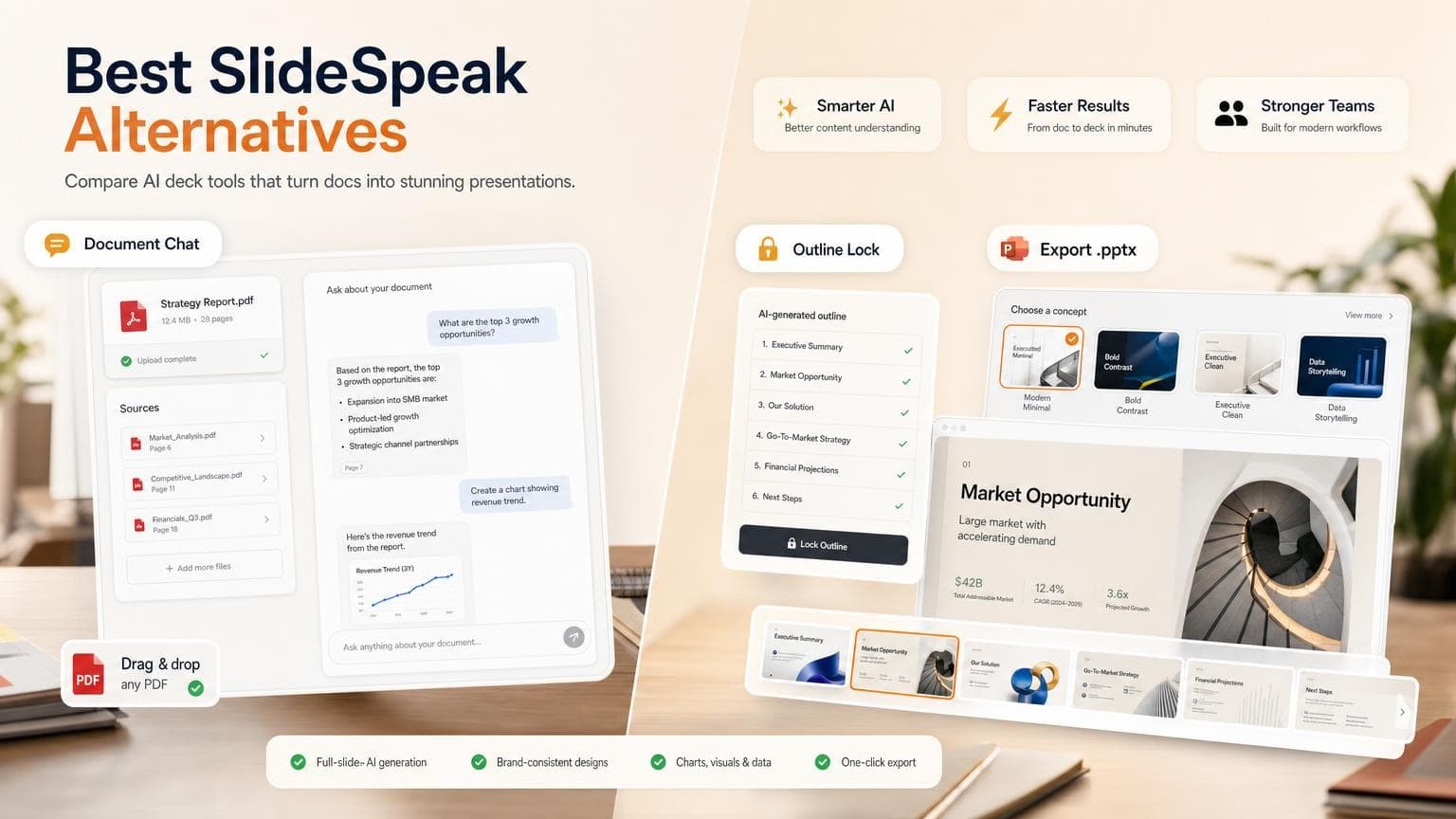
  • GenPPT is strongest when you want outline lock, a visual concept pick, and image-native slides with .pptx export
  • Gamma wins on speed for web-first decks; PowerPoint fidelity can vary after export
  • Plus AI keeps you inside Microsoft PowerPoint or Google Slides
  • ChatGPT can summarize PDFs and draft outlines, but you still need a deck builder for layout and export
  • Budget 15–30 minutes per deck for AI generation plus fact-checking
Create a presentation with AI

Quick comparison: SlideSpeak alternatives at a glance

ToolBest forStarting price (USD)Free option.pptx exportDocument chat
GenPPTOutline lock + full-slide visuals$19/mo or $99/yrFirst deck freeYesVia upload + chat edit
SlideSpeakDocument chat + AI slidesFree; Premium from $29/mo100 signup creditsPaid plansYes (core feature)
GammaFast AI drafts in browserFree; Plus from ~$9/mo400 signup creditsYes (layout can shift)Limited
Plus AIAI inside PowerPoint/Slides~$10/mo7-day trialNative in-appVia host app
ChatGPTPDF summaries and outlinesFree; Plus from ~$20/moYesNo native exportYes (upload/Paste)

For a broader AI PowerPoint roundup, see Best AI PowerPoint Generators in 2026. For document-to-deck workflows, read PDF to PowerPoint with AI.

How we evaluated these SlideSpeak alternatives

We skipped star ratings and sponsored benchmarks. We checked each tool against the questions you ask when you leave SlideSpeak:

  1. Document input: Can you start from a PDF, Word file, PowerPoint, or link?
  2. Chat vs deck builder: Does the product focus on Q&A over files, or on building a presentable deck?
  3. Outline control: Can you approve structure before final design renders?
  4. Visual output: Standard template slides, web cards, or full-slide AI visuals?
  5. Export path: Does .pptx open cleanly in PowerPoint, and can you edit what matters?
  6. Pricing model: Credits, subscriptions, or per-seat add-ins?

We pulled pricing from official pages and help docs in August 2026. Promotional rates and regional taxes can change your total.

When SlideSpeak still makes sense

Stay on SlideSpeak if your main job is chatting with documents and you want AI slides from the same upload.

Where SlideSpeak is strong:

  • AI Document Chat Bot (Charles) for Q&A over PDFs, Word, and PowerPoint files
  • Presentation generation from uploaded documents, including scanned PDFs with OCR
  • 150+ language support and online sharing
  • Optional AI video generation and branded templates on higher tiers
  • API access for teams embedding generation into their own products

Limits:

  • Credit-based usage. SlideSpeak's pricing page lists 100 credits at sign-up on the free plan (~3 presentations). Paid Premium starts at $29/month (annual) or $30/month (monthly) with 1,000 credits per month. Heavy users need Premium Plus at $34–40/month or top-ups.
  • Standard slide layouts. SlideSpeak builds structured template slides, not full-slide AI-rendered visuals. Design wow-factor depends on templates and brand kits.
  • Custom templates cost extra. Branded templates and custom PowerPoint masters sit behind Premium Plus; a custom template add-on is $129 per template on SlideSpeak’s pricing page.
  • Outline control is limited. You steer generation with prompts, but you cannot lock the outline before visuals render like you can in GenPPT.
  • Export gates on free tier. Paid plans unlock full PDF and PPTX export.

If you need slide-by-slide design with concept approval before render, compare export behavior and editing models before you switch. For a direct GenPPT comparison, see our SlideSpeak alternative page.

The best SlideSpeak alternatives in 2026

1. GenPPT: best for outline lock + full-slide visuals

Best for: Teams that want designed slides from a brief or document, with outline approval before full render and .pptx export.

Tradeoffs: Slides are full-slide images, not a library of draggable text boxes. You refine copy and layout by regenerating slides in chat, then export. There is no real-time multi-user canvas editor.

Pricing (August 2026):

  • Free: First deck free, no credit card (create a deck →)
  • Growth: $19/month or $99/year after a $1 trial; 20 full-slide image decks per month, watermark-free .pptx and PDF export (details →)

GenPPT gives you control before pixels render:

  1. Add source material: prompt, PDF, Word doc, or link
  2. Approve the outline: edit titles and bullets before design starts
  3. Pick a visual concept: choose a direction from a contact sheet
  4. Generate and refine: regenerate individual slides in chat, then export
Start from a prompt, document, or link before the outline is generated.
Lock the narrative before slide visuals are rendered.
Export to PowerPoint or PDF when the deck is ready.

Good fit: Pitch decks, board updates, marketing narratives, and PDF-to-PowerPoint workflows where you already have a report or brief.

Not ideal if: You need persistent document Q&A as the main interface, live co-editing on the same slide canvas, or native editable chart objects inside the AI builder.

Create your first deck free →


2. SlideSpeak: when document chat is the main job

Best for: Users who upload PDFs or Office files and want to ask questions, summarize content, and generate slides from the same document workspace.

Tradeoffs: Credits cap monthly volume. Visual output uses standard layouts unless you pay for Premium Plus branding or custom templates. Outline approval before design is lighter than GenPPT’s lock step.

Pricing (August 2026): SlideSpeak pricing includes a free tier with 100 credits at sign-up. Premium is $29/month (annual) or $30/month (monthly) with 1,000 credits, export, and AI 5.0. Premium Plus is $34/month (annual) or $40/month (monthly) with 2,500 credits, branded presentations, and a custom brand image library.

SlideSpeak leads with document upload and AI chat, with slide generation as a secondary output from the same workspace.

Good fit: Researchers, consultants, and students who live in document chat and need slides or summaries from the same file.

Not ideal if: You want full-slide AI visuals, strict outline approval before render, or predictable monthly deck limits without credit math.

Keep SlideSpeak if document chat matters more than deck polish. Leave when export quality, outline control, or design output slows you down.


3. Gamma: best for fast web-native drafts

Best for: Quick AI-generated decks meant to be read and shared in the browser.

Tradeoffs: Gamma’s native format is card-based and web-first. .pptx export exists, but complex layouts can shift when opened in PowerPoint. Credits limit how many AI generations you get per month.

Pricing (August 2026): Gamma pricing includes 400 one-time credits on the free plan. Plus is about $9/seat/month (annual billing) with monthly credit refresh. Pro is about $18/seat/month billed annually.

Gamma's homepage pitches fast browser-native decks, documents, and websites from a single prompt.

Good fit: One-pagers, internal read-aheads, and fast first drafts you will refine in the browser.

Not ideal if: Your final deliverable must be a polished .pptx for client meetings with minimal export cleanup, or you need document upload with outline lock before design.

Read our Gamma alternative guide for export and workflow differences vs GenPPT.


4. Plus AI: best for PowerPoint and Google Slides users

Best for: Teams that must stay inside Microsoft PowerPoint or Google Slides and want AI generation as an add-in.

Tradeoffs: You inherit your host app's limits. Visual polish depends on your template, not full-slide AI rendering. Document chat lives inside Slides or PowerPoint, not as a standalone feature.

Pricing (August 2026): Plus AI lists plans from about $10/month with a 7-day trial (credit card required). Exact tiers and seat pricing vary by workspace size.

Plus AI generates slides inside PowerPoint and Google Slides: no separate export step from a standalone builder.

Good fit: Enterprises standardized on Office 365 or Google Workspace that cannot adopt another standalone deck platform.

Not ideal if: You want concept approval, document upload with outline lock, and image-native slides outside PowerPoint.


5. ChatGPT: best for summaries and outlines, not decks

Best for: Drafting slide outlines, summarizing PDF content, and brainstorming speaker notes before you move into a real deck builder.

Tradeoffs: ChatGPT does not export .pptx files or apply presentation layouts. You copy text into PowerPoint, Google Slides, or a dedicated AI deck tool. You handle visual consistency and export fidelity yourself.

Pricing (August 2026): ChatGPT offers a free tier with usage limits. Plus is about $20/month for higher limits and file upload on supported models.

ChatGPT handles summaries and outlines in a chat window: not export-ready slide layouts.

Good fit: Quick PDF summaries, outline drafts, and rewriting bullet copy when you already have a slide tool for the final file.

Not ideal if: You need one app that turns a document into a designed, export-ready deck. For the PDF angle specifically, read Can ChatGPT Summarize a PDF?. For the deck-export gap, see Can ChatGPT Make PowerPoints?.

Typical workflow: Upload or paste a PDF into ChatGPT for summary → copy the outline into GenPPT, SlideSpeak, Gamma, or Plus AI for layout and export.


Feature comparison table

FeatureSlideSpeakGenPPTGammaPlus AIChatGPT
PDF / document uploadYesPDF, Word, linkYesVia host appYes (upload/paste)
Document Q&A chatCore featureChat edits slidesLimitedVia host appCore feature
Outline approval before designLimitedYesLimitedManualText outline only
Full-slide AI visualsNoYesCard-basedTemplate-boundNo
Edit modelPrompt + regenerateChat regenerateCard editorNative text boxesText only
.pptx exportPaid plansYesYes (may shift)Native in-appNo
Pricing modelCreditsSubscriptionCreditsSubscriptionSubscription

This table is directional. Export a test deck in your PowerPoint version before the live meeting.

How to choose the right SlideSpeak alternative

Use this decision path:

Choose SlideSpeak if document chat, multilingual summaries, and slide generation from the same upload are your main workflow.

Choose GenPPT if your priority is a designed deck from a prompt or document, with outline and concept approval, .pptx export, and slide-level AI refinement. Start at /app/new or review /pricing.

Choose Gamma if speed in the browser matters more than PowerPoint fidelity.

Choose Plus AI if policy requires you to stay inside PowerPoint or Google Slides.

Choose ChatGPT if you need PDF summaries or outline drafts and will build slides elsewhere.

Still deciding between AI-first tools? Our AI PowerPoint generator comparison compares export quality and workflow tradeoffs. For document-heavy workflows, compare PDF to PowerPoint with AI and our SlideSpeak alternative head-to-head page.

Frequently asked questions

What is the best SlideSpeak alternative in 2026?

GenPPT leads on image-native slides, outline approval, and .pptx export from a prompt or document. Gamma wins on fast browser-first drafts. Plus AI wins when you must stay inside PowerPoint or Google Slides. SlideSpeak fits when document chat is the primary job.

Is GenPPT better than SlideSpeak for PDF presentations?

GenPPT is better when you want full-slide visuals, outline lock before design, concept approval, and chat-based slide regeneration with .pptx export. SlideSpeak is better when you want AI document chat, multilingual Q&A, and structured template slides from the same upload without switching tools.

Does SlideSpeak export to PowerPoint?

Yes, on paid plans. SlideSpeak supports PDF and PPTX export on Premium and above, per SlideSpeak's pricing page. The free tier focuses on online sharing and limited credits; you unlock export when you subscribe.

Can ChatGPT replace SlideSpeak for document summaries?

ChatGPT summarizes PDFs and answers questions about uploaded files, like SlideSpeak's document chat. It cannot replace SlideSpeak or GenPPT for slide layout, branding, or .pptx export. See Can ChatGPT Summarize a PDF? for the summary workflow and limits.

How do SlideSpeak credits work?

SlideSpeak uses a credit system across generation, chat, and video features. The free plan includes 100 credits at sign-up. Premium includes 1,000 credits per month; Premium Plus includes 2,500 credits per month. Paid users can buy one-time top-ups. Credit costs per presentation vary by length and features. Check SlideSpeak's pricing calculator before committing.

Which alternative has the best free plan?

Gamma gives you signup credits to try AI-assisted design. GenPPT offers a first deck free with no credit card. SlideSpeak gives 100 credits at sign-up for testing document chat and a few presentations. ChatGPT free tier works for light PDF Q&A but not deck export.

Can I upload scanned PDFs?

SlideSpeak advertises support for scanned PDFs with OCR. GenPPT also accepts PDF uploads, but text-based PDFs and original Word files produce cleaner outlines. Upload the source document instead of a scan when you can.

Conclusion: match the tool to your workflow

SlideSpeak paired document chat with slide generation. You switch when you need tighter outline control, richer visuals, or a different export and editing model. Pick the tool that matches where your deck lives after generation: chat window, browser, PowerPoint, or a designed .pptx file.

If outline lock, full-slide visuals, and .pptx export fit your workflow, start with GenPPT:

Create your first deck free →

For pricing and plan limits, see /pricing. For document-to-deck detail, read PDF to PowerPoint with AI.

Ilias Ism
Ilias Ism

SEO strategist and former CTO who builds scalable content systems. Founded LinkDR, MagicSpace SEO, AISEOTracker, and GenPPT.

  • Built and sold Officient ($500k+ MRR)
  • Scaled 20+ products generating $10M+ revenue
  • 4x B2B SaaS founder
AI presentations

Stop stressing over formatting. Join 100,000+ professionals creating presentations worth presenting.